GrandMA3 Tracks
In Myelin Director, note tracks and trigger tracks can be used as 'MA3 tracks'.
This way, the grandMA3 exporter configuration of the track can be configured in the track's sidebar options directly. Also, when an 'MA3' OSC output is active, the same configuration will be used to output OSC triggers to grandMA3 as well. By using MA3 tracks, both direct OSC triggers and timecode exports are consistent. Fade times are included into both triggers as well.
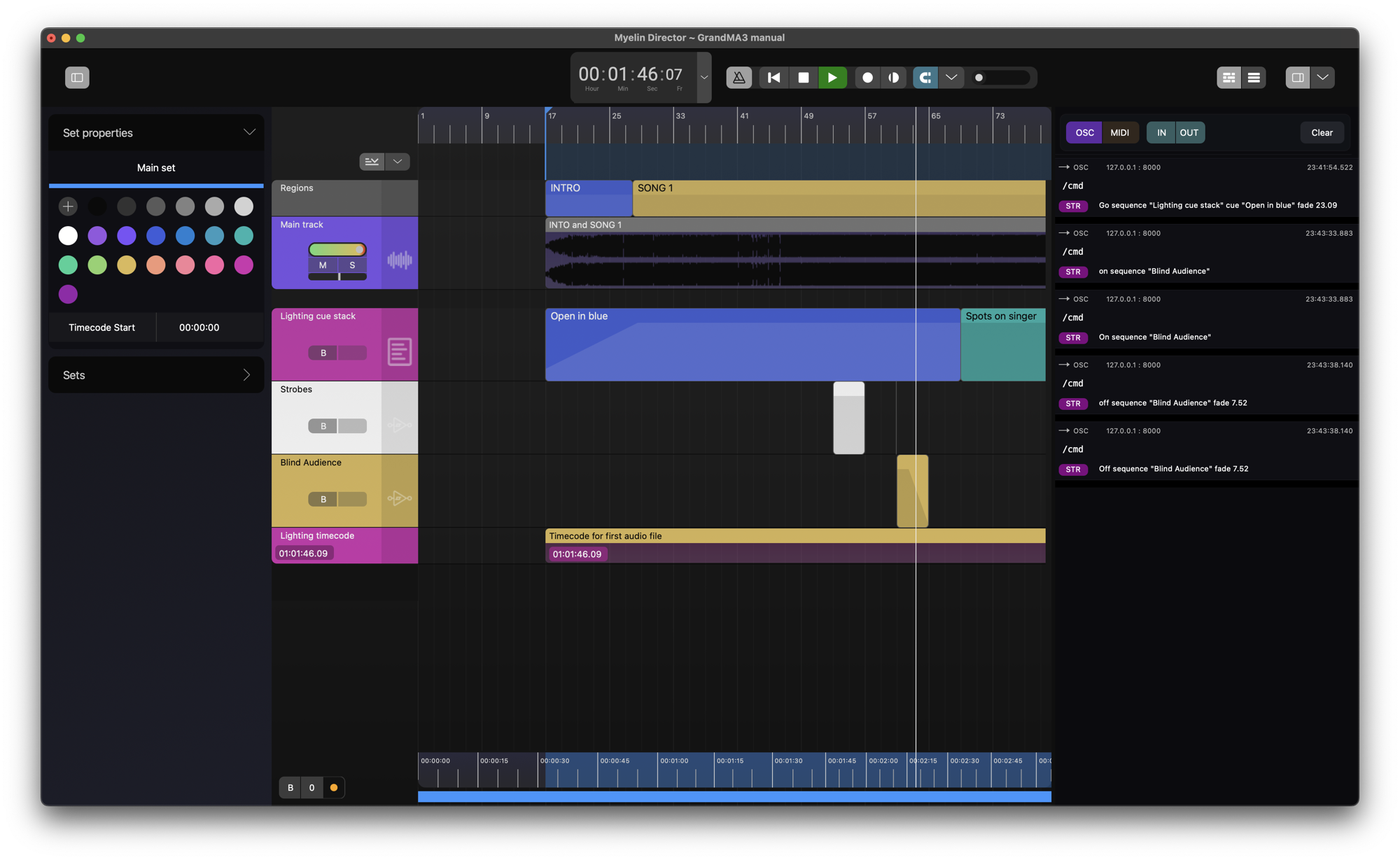
As an example, we start with a project containing a single set, a filled in regions track, reference audio track, a note track, two trigger tracks, and a timecode track.

A track can be enabled as MA3 track in the Track properties.
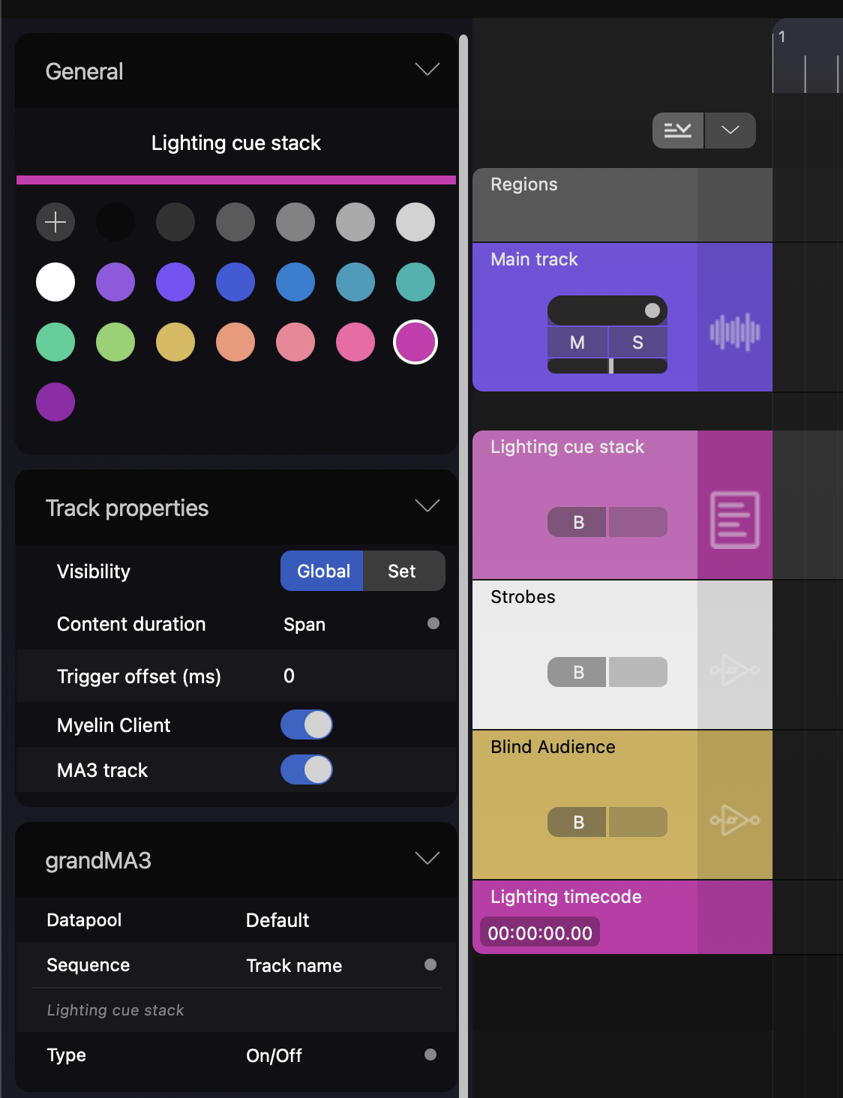
If a track is enabled as MA3 track, the grandMA3 configuration section will appear in the track's sidebar options.
The options in the grandMA3 configuration section are straightforward:
- Datapool: The datapool that contains the to be triggered sequence
- Sequence: The sequence name
- Track name: The name of the track is the sequence name
- Custom: A custom sequence name can be defined
- Type: The key handle type
- Start Marker
- Region Marker
- Go
- Goto
- On
- Top
- Go/Off
- Goto/Off
- On/Off
- Top/Off
- Swap
- Flash
- Temp
- Learn
- LearnSpeed
Regions can only be used as 'Start Markers' or 'Region Markers', where as trigger tracks cannot be used as 'Start Markers' or 'Region Markers'.
If Go, Goto, On, Go/Off, Goto/Off, or On/Off are chosen as key handle type for a note track, the note clips' names will be used as cue name. This way, you can use a single note track, to control different cues in a cue stack.
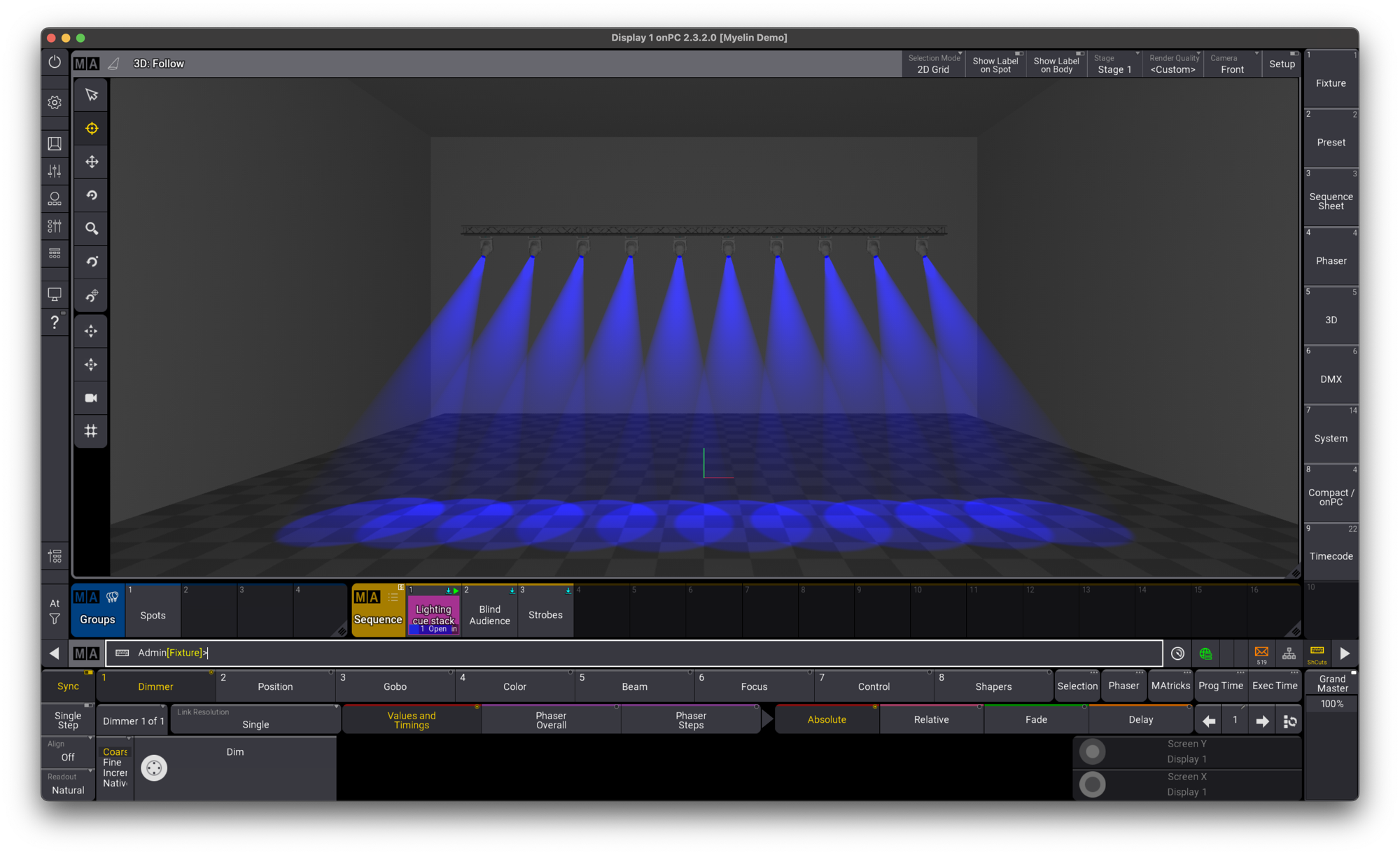
In this example, we use Go for our note track 'Lighting cue stack', which will be our main cue stack, Flash for the 'Strobes' track, and Temp for the 'Blind Audience' track.
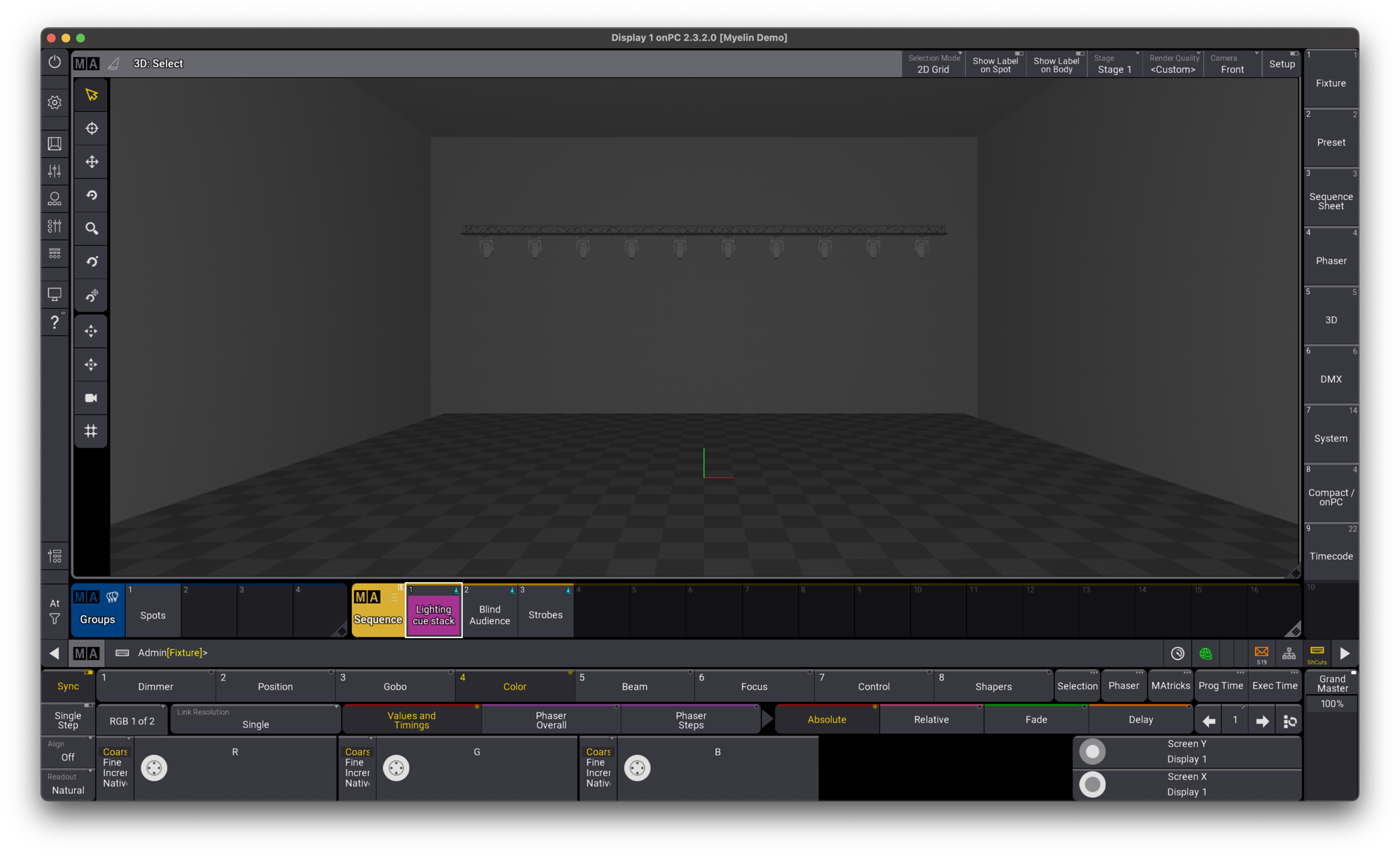
We open grandMA3, and create the three sequences:
- 'Lighting cue stack', which has 3 cues
- Open in blue
- Spots on singer
- Fade to black
- 'Strobes', single cue sequence
- 'Blind Audience', single cue sequence
OSC
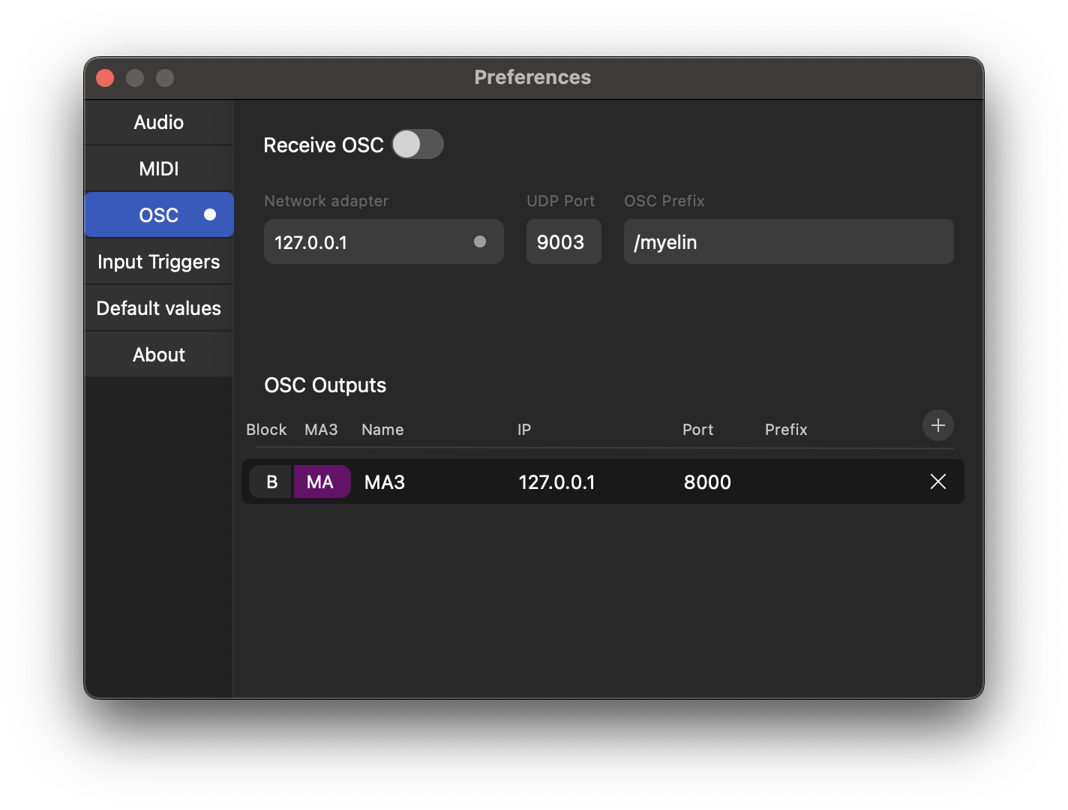
First, we will control grandMA3 from Myelin directly through OSC. We open the OSC tab in the preferences window. We create an OSC output, with the IP-address of our grandMA3 instance. We use port 8000 and no prefix. To let all MA3 triggers use this OSC output, we enable the MA3 'MA' button for this output.
We configure OSC input in grandMA3, with the same port, and enable Receive and Receive Command.

Playing back in Myelin will now trigger the sequences through OSC, with the type specified in the track's grandMA3 settings, and the fade of the clips.
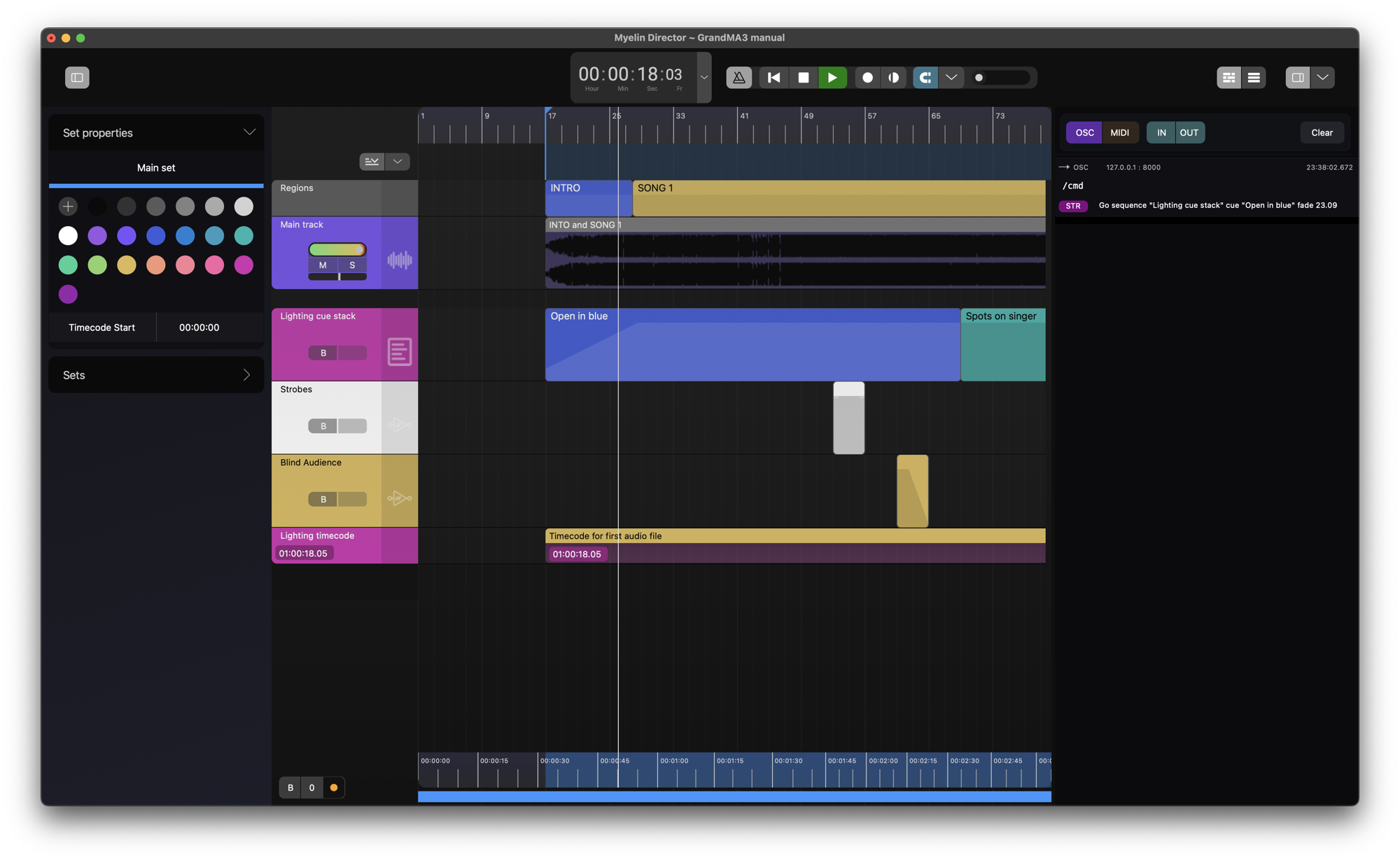
The OSC output in Myelin can be monitored in the OSC/MIDI log sidebar.

Timecode Export
We can achieve the same result by exporting a timecode pool from Myelin and import it into grandMA3.
More information about exporting grandMA3 timecode (pools or plug-ins) can be found here.
We open the grandMA3 tab in the Export window. The track options for MA3 tracks are greyed out, since the configuration set in the track's grandMA3 settings will be used.

In this example, we will use the 'Lighting timecode' track's timecode reference.

We export a Timecode pool .xml.

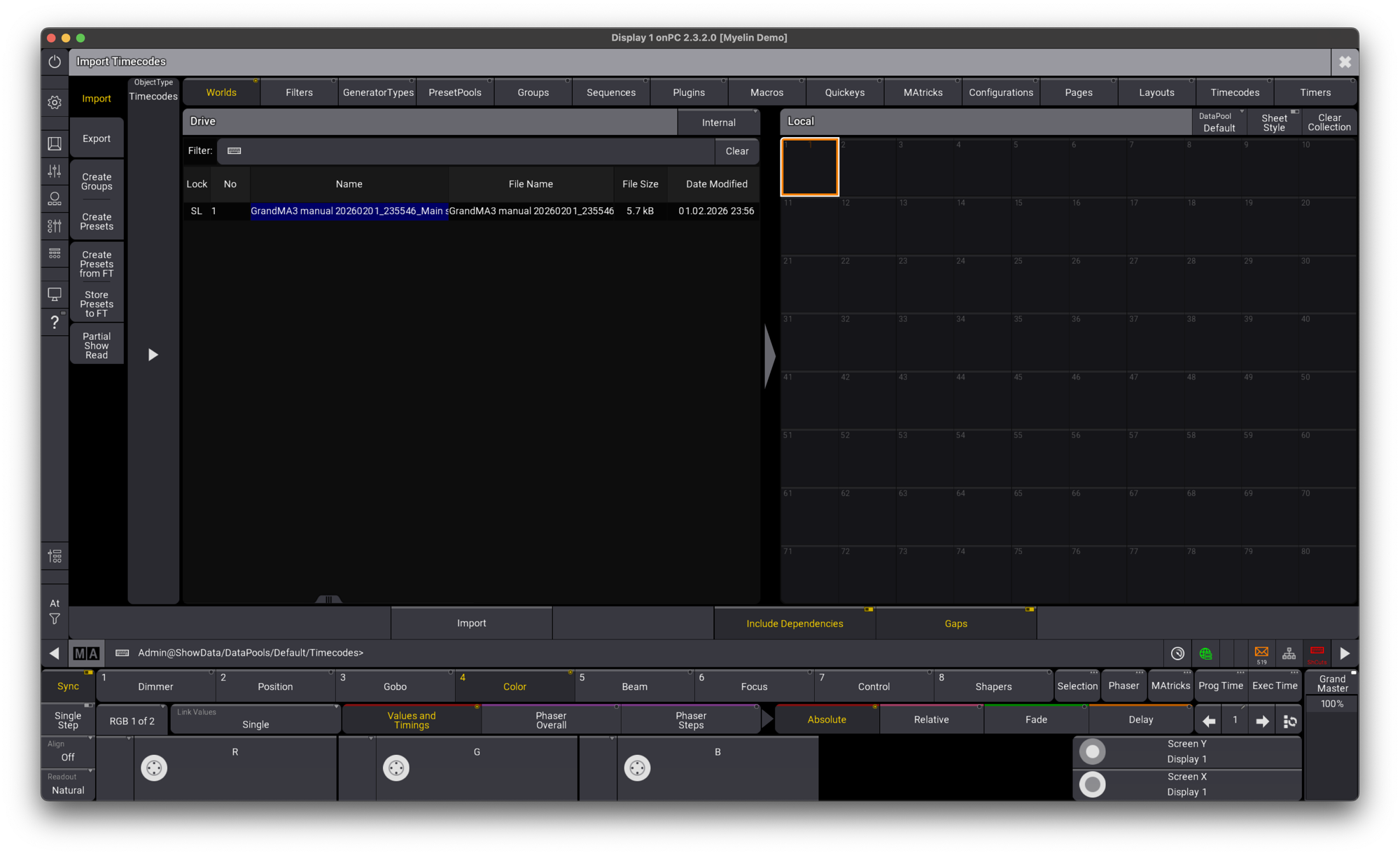
We copy the exported .xml to the ../gma3_library/datapools/timecodes, and import the timecode pool in grandMA3.

We enable Art-Net timecode input in grandMA3 on timecode slot 1, and use slot 1 for our imported timecode pool.

We block the OSC output that we defined before.

We enable Art-Net output to grandMA3's IP-address on the 'Lighting timecode' track.
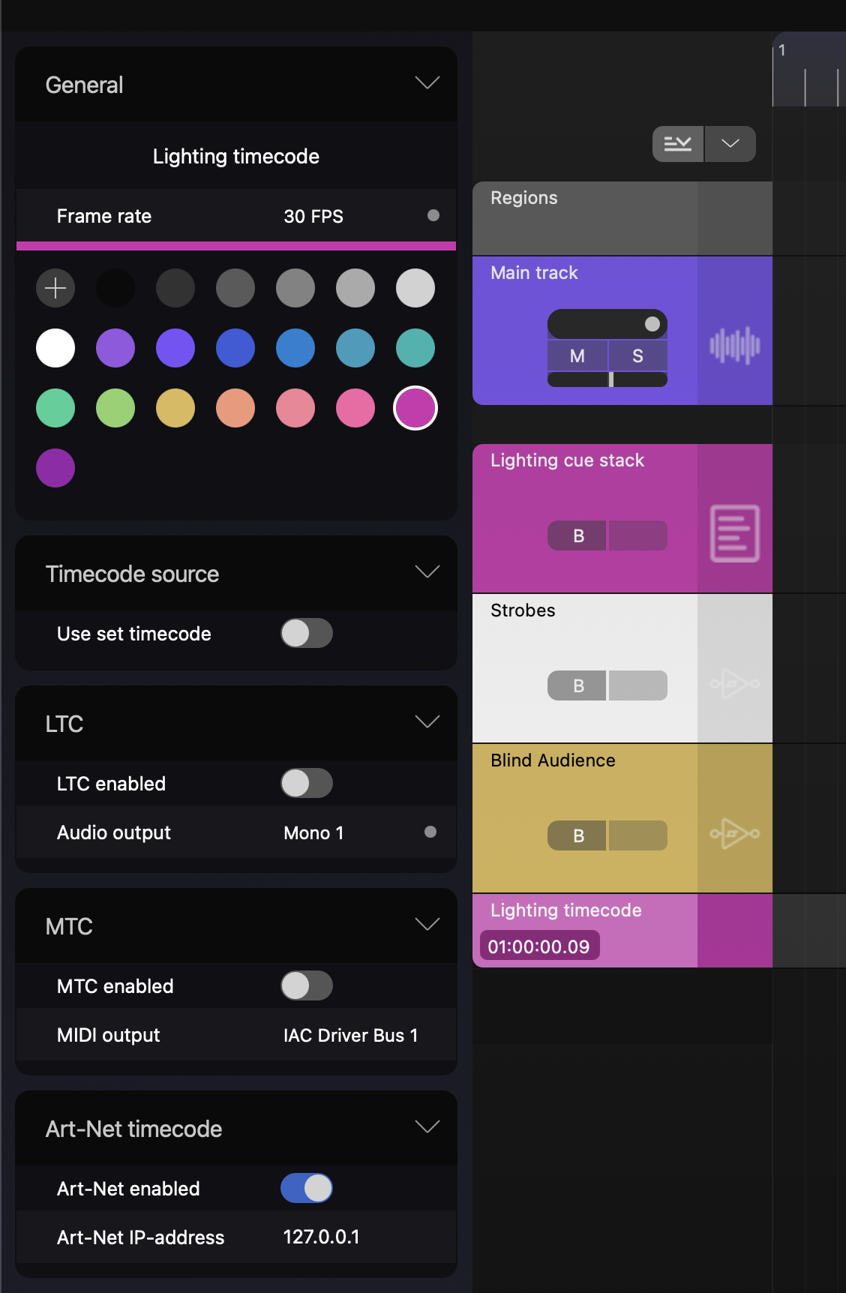
Starting the timecode pool in grandMA3 and starting playback in Myelin will trigger the sequences through OSC, with the type specified in the track's grandMA3 settings, and the fade of the clips.

